seller.supplies

AMZIO

Your Amazon research.
Saved, organized, ready to export.

AMZIOYour product research, together.
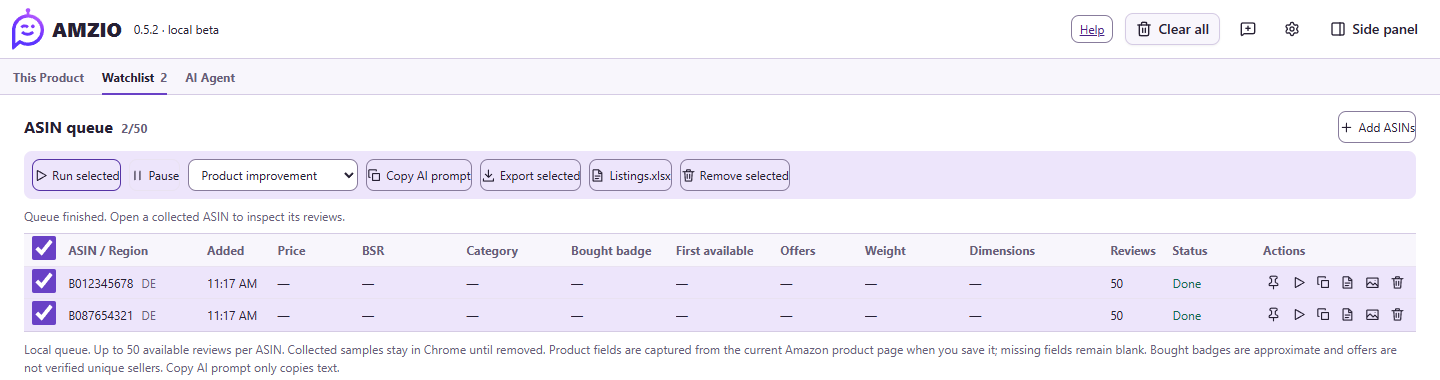
AMZIO Workbench showing saved ASINs and local export controls. Example product data.
Workbench preview. Example product data.

Save the useful bits.

Press S twice to save an Amazon product and its available details.
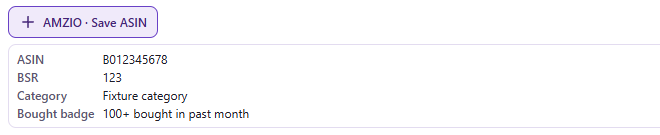
AMZIO Save ASIN control and captured product fields.
Example product data.

Read the evidence.

Group complaints by variant and keyword. Open the matching reviews.
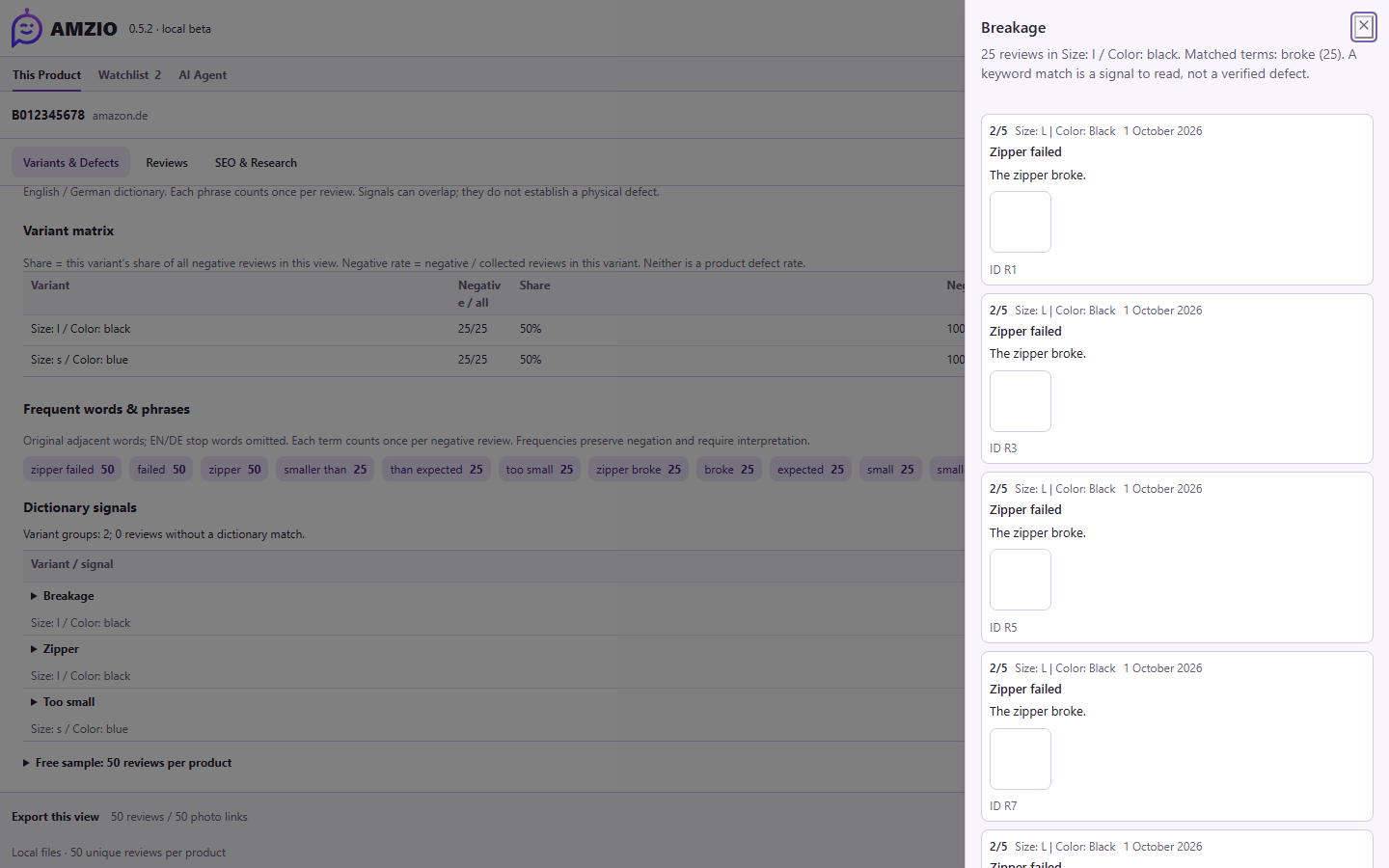
AMZIO variant analysis with the matching source reviews open.
Review preview. Example data.

Export your research.

Local files. Your research.

CSVExcelJSONPhoto ZIP

Try AMZIO.

Beta 0.5.2. Chrome desktop. 50 products, up to 50 reviews each.

Download AMZIO 0.5.2
Install the ZIP in Chrome
  1. Download and unpack the ZIP into a folder you will keep.
  2. Open Chrome’s Extensions page and enable Developer mode.
  3. Choose Load unpacked and select the folder containing manifest.json.
  4. Refresh Amazon, open AMZIO from the toolbar and press S twice to save a product.

Developer install. Next-beta previews.

Privacy